
This month’s release is a big step forward for both creativity and workflow management inside Zakeke.
We’re introducing new tools to make product customization more flexible, expanding our AI ecosystem with new generation capabilities, and officially kicking off the redesign of the Zakeke Backoffice – with the goal of making everyday operations faster, cleaner, and more intuitive.
From AI-powered 3D model generation to smarter product configuration workflows and a completely refreshed Backoffice experience, this release is all about simplifying complexity while giving merchants more control.
Here’s what’s new in Zakeke.
1. New Features and Tools
Minimum Order Quantity
You can now set a Minimum Order Quantity (MOQ) for customizable products.
This makes it easier to manage bulk orders, production requirements, and wholesale workflows by ensuring customers meet the minimum quantity needed before completing their purchase.
Simple to configure, flexible to manage.
Learn more about Minimum Order Quantity.
Extra Options
We introduced Extra Options for customizable products.
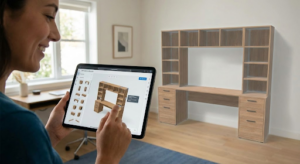
This new feature allows you to add additional selections that don’t impact the product design itself, helping you create more flexible and complete purchasing experiences.
Perfect for add-ons, packaging choices, special requests, materials, and more.
Learn more about Extra Options.
AI 3D Model Generation
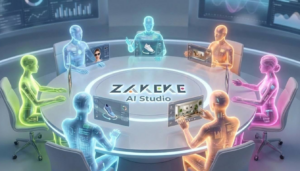
AI-powered 3D model generation is now available inside AI Agents Studio.
With this new tool, users can generate 3D models starting from a text prompt or reference images, dramatically simplifying the creation process and reducing production time.
A faster and more accessible way to create 3D assets, directly inside Zakeke.
Learn more about AI 3D Model Generation.
AI Try-On & AI Lifestyle Scenes — Custom Asset Uploads
AI Try-On and AI Lifestyle Scenes are now even more flexible.
Merchants can upload their own assets — including models, backgrounds, poses, and styles — to create experiences that better reflect their brand identity and creative direction.
We also improved the generation flow to make the process faster and more seamless for customers.
2. The First Release of the New Zakeke Backoffice
We officially started rolling out the new Zakeke Backoffice – a major redesign focused on making the platform cleaner, faster, and easier to navigate.
This first release introduces a more modern experience designed to simplify workflows, centralize key tools, and make everyday operations smoother across the platform.
And this is only the beginning: the redesign will progressively expand across the entire Backoffice over the coming months.
A Cleaner and More Intuitive Experience
Several sections have been refreshed to improve usability and simplify navigation, including Pricing Rules, Printing Methods, 3D Preview & AR, Get a Quote, Tools, and Test Mode.
We also reorganized multiple settings and workflows to create a more consistent experience across the platform.
Smarter Navigation Across the Platform
To make navigation cleaner and more intuitive, several sections have been centralized and reorganized.
New Centralized Sections
We introduced new dedicated areas like Order Settings and Integration Settings, bringing together operational settings, notifications, automations, and sales channel integrations into a more organized experience.
Shopify, Etsy, BigCommerce, Zapier, Webhooks, and OrderDesk are now easier to access and manage from centralized sections.
Reorganized Backoffice Sections
Several tools and settings have also been moved to improve accessibility and create a more consistent workflow across the platform.
This includes updates to Fonts, Messages and Alerts, Translations, Bulk Variation Form, integrations, and notification management.
Faster Product Management
We also introduced new workflows designed to simplify product setup and management.
Product Sidebar
The new Product Sidebar gives merchants quicker access to active tools, rules, and product configurations directly from the product list.
Assign To
The assignment workflow has been redesigned with a new unified Assign To experience, making it easier to connect tools to products and printing methods through a faster and more consistent workflow.
Improved Quote Management
The Get a Quote experience has also been refreshed with improved quote details, simplified status management, and more centralized notifications.
This release marks the first step toward a completely redesigned Zakeke experience — with more improvements already on the way.
3. AI-powered Setup Utilities
We’re also starting to bring AI directly into the Backoffice setup experience.
Users can now describe what they want in natural language, and the AI automatically helps configure the setup accordingly.
AI-assisted setup is currently available for:
- Pricing Rules
- PDF Preview
- Order Summary
- Quote Summary
More AI-powered tools and Backoffice improvements are already on the way, stay tuned!

Ready to transform your e-commerce with unique product experiences? Start in under 10 minutes. Start your 14-day free trial or book a demo today!