
FREE LOOKBOOK

How 10 E‑Commerce Brands Use Personalization to Stand Out

Zakeke Tools

Zakeke and Rapidpipeline
News

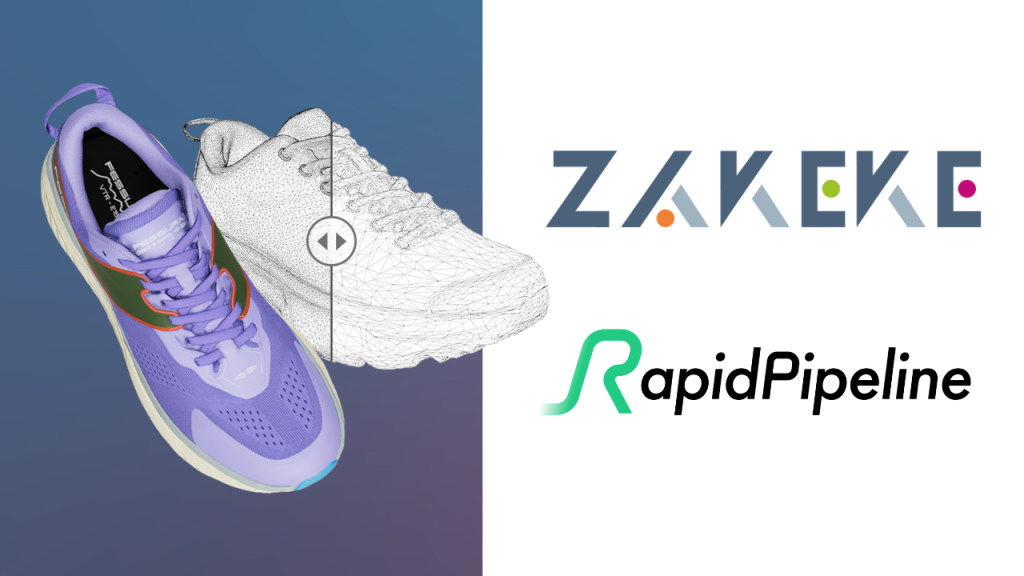
Zakeke x RapidPipeline: A Partnership to Simplify 3D Workflows

A new integration to eliminate bottlenecks and streamline 3D for the web Bringing 3D into eCommerce should unlock possibilities – not add complexity. Yet too often, companies face friction when it comes to preparing and deploying 3D content online: mismatched file formats, heavy models, long loading times, and manual optimization steps that slow everything down. At Zakeke, our mission is to make 3D and visual commerce accessible to all. That’s why we’ve partnered with RapidPipeline – the team behind one of the most robust 3D pipeline engines in the industry – to launch a new Optimizer Tool fully embedded in our platform. What’s inside the Optimizer Tool? The new Optimizer Tool is designed to make 3D deployment effortless. Whether you’re uploading CAD, FBX, OBJ, or USDZ files, Zakeke now automatically converts and optimizes them into web-ready GLB files – in seconds. Key features: It’s all about saving time, cutting costs, and making your 3D content work across devices and browsers, instantly. A shared vision for removing barriers Both Zakeke and RapidPipeline share a vision: to eliminate the invisible technical hurdles that prevent businesses from fully leveraging 3D. This partnership makes 3D deployment simpler, smarter, and finally aligned with the speed of modern eCommerce. ā€œThis partnership with RapidPipeline goes straight to the heart of our mission: making 3D simple and accessible. It removes one of the biggest blockers — getting models web-ready — and turns it into a seamless step inside Zakeke. No complexity, no extra tools, just results.ā€ā€” Angelo Coletta, CEO @ Zakeke ā€œIt’s amazing to see our RapidPipeline technology empowering Zakeke’s fantastic 3D commerce experience, and their growing client base of eCommerce professionals — leveraging their 3D content for maximum value add, with the help of our combined solution on the Zakeke platform.ā€ā€” Max Limper, CEO @ DGG RapidPipeline It reflects our long-term vision: removing friction from every step of the 3D journey — from concept to customer — so brands can move faster and deliver better experiences.
Read More >
Amazon Partner Zakeke
News

Zakeke Joins the Amazon Selling Partner Appstore

Businesses that sell on Amazon can now unlock powerful product customization with Zakeke We’re proud to announce that Zakeke is now part of the Amazon Selling Partner Appstore. Amazon represents another key integration in our journey to make product customization easy, scalable, and accessible across every major sales channel. The Selling Partner Appstore is a one-stop-shop where the small and medium-sized businesses that sell on Amazon can easily discover quality applications to help them automate, manage and grow their business. Accessible from Seller Central, the Selling Partner Appstore features applications created by Amazon and external software partners and covers a range of functionalities across the selling lifecycle. Here’s how the integration works. How It Works for Merchants Once a business connects Zakeke to their workflow, the customization process becomes simple and automated: No manual steps, no repetitive tasks – just a smooth, efficient process that fits perfectly into existing operations. A Strategic Step Forward Being listed in the Selling Partner Appstore marks another important milestone in our mission to bring seamless customization to every sales channel.  We’re proud to support businesses that sell on Amazon with tools that help them offer more engaging experiences, reduce friction, and scale personalized sales with ease. Ready to know more about Zakeke integration with Amazon? Know more here.

Read More >
How to review Zakeke on G2
Zakeke Tools

Zakeke: A 5-Step Guide to Submitting a Review on G2

G2 is the go-to platform for genuine user reviews. Your Zakeke experience could be the guidepost for others on their tech journey. If you’re new to this, don’t worry! We’ve simplified it for you.  Check out our 5-step guide to submitting your Zakeke review on G2. Ready to help out your peers? Let’s get started! Step 1: Visit Zakeke’s G2 profile Visit Zakeke’s G2 profile and click on ā€œWrite a Reviewā€. Step 2: Sign in to G2 Once you select the “Write a Review” button, the following screen should appear before you. Click on ā€œContinue to Loginā€. You have different options: Once you fill out the form, you will receive an email for verification. Click on the link in the email and you’re logged in! Step 3: Write your review Now comes the exciting part – writing your review!  You might see a few questions, but they’re pretty straightforward. They’ll ask about your likes, dislikes, and how Zakeke has solved problems for you.  In just under 5 minutes, you can share an honest reflection on your Zakeke experience. Let’s get your thoughts out there! Step 4: Confirm you are an actual user Now you have to verify you’re an actual user of Zakeke! Step 5: Submit your review After filling out all sections, pause for a moment to: And just like that, you’re done! Give yourself a pat on the back!  

Read More >