
Updated September 2026
The best product configurator software depends on what you sell, how complex your products are, and what needs to happen after a customer completes a configuration.
For ecommerce businesses that need 2D customization, 3D product configuration, AR and production-ready output in one platform, Zakeke is our top all-in-one choice. Angle 3D is a strong Shopify-focused alternative for 3D configuration, while Expivi and Threekit are better suited to complex enterprise and CPQ projects. InkyBay is particularly relevant for print-focused 2D personalization.
We compared 7 product configurator platforms based on pricing, 3D capabilities, visual customization, AR, ecommerce integrations, dynamic pricing, production output and implementation complexity.
Best Product Configurator Software: Quick Comparison
| Product configurator | Best for | Starting price | 3D configuration | AR | Visual customization | Production output |
|---|---|---|---|---|---|---|
| Zakeke | All-in-one ecommerce configuration & customization | $59/mo | Yes | Yes | Yes | Yes |
| Angle 3D | Shopify 3D configuration | $39/mo | Yes | Yes | Yes, plan-dependent | PDF export on Enterprise |
| Expivi | Complex CPQ & manufacturing | Custom pricing | Yes | Yes | Yes | Yes |
| Vectary | Interactive 3D experiences | Free; Pro from $15/mo annually | Limited | Yes | Limited | No |
| Threekit | Enterprise visual commerce | Custom pricing | Yes | Yes | Yes | Implementation-dependent |
| LEVAR | 3D & AR visualization | Free; paid plans from $59/mo | Limited | Yes | Limited | No |
| InkyBay | Print & 2D personalization | $19.99/mo | No | No | Yes | Yes |
Pricing checked in September 2026. Prices, limits and features can change. Always check the vendor’s current pricing before making a purchase decision.
Best product configurators at a glance
Best overall for ecommerce: Zakeke
Best for 3D product configuration: Zakeke
Best for visual product customization: Zakeke
Best Shopify-focused 3D configurator: Angle 3D
Best for complex CPQ and manufacturing: Expivi
Best for interactive 3D content: Vectary
Best for advanced visual product experiences: Threekit
Best for 3D and AR visualization: LEVAR
Best for print-focused personalization: Zakeke
These tools are not interchangeable. Some are full product configurators, others specialize in product personalization, while others primarily provide 3D visualization.
How We Selected These Product Configurators
We compared product configurators based on configuration capabilities, ecommerce integrations, 3D and AR support, visual customization, dynamic pricing, production output, implementation complexity and publicly available pricing.
Pricing and product information were reviewed and updated in September 2026 using vendor websites and official ecommerce marketplace listings where available.
The goal is not to identify the platform with the longest feature list, but to understand which software fits different ecommerce and product configuration requirements.
What Is Product Configurator Software?
Product configurator software allows customers or sales teams to build a valid version of a product by selecting components, materials, colors, dimensions and other options according to predefined rules.
The customer can typically see selections reflected in real time, while the software ensures that incompatible combinations cannot be selected.
For example, a furniture customer might choose the dimensions, frame, fabric and finish of a sofa. A bicycle buyer could select components and colors. A manufacturer might allow buyers to assemble a machine from compatible modules.
Advanced ecommerce product configurators can also:
- display configurations in real-time 3D;
- show products in Augmented Reality;
- calculate prices dynamically;
- generate quotes;
- support visual personalization with text and images;
- create print-ready or production-ready files;
- send configuration data to ecommerce, ERP, PIM or production systems;
- manage configurable products across multiple sales channels.
This makes a product configurator significantly different from simply adding more product variants to an ecommerce store.
Product Configurator vs Product Customizer vs 3D Viewer
A product configurator, product customizer and 3D viewer solve different problems.
| Software type | What it does | Typical use case |
|---|---|---|
| Product configurator | Combines components, materials and options according to rules | Furniture, equipment, bicycles, modular products |
| Product customizer | Adds text, artwork, images or other personal elements | Apparel, promotional products, packaging, gifts |
| 3D viewer | Allows shoppers to rotate and inspect a 3D product | Furniture, fashion, consumer products |
| 3D product configurator | Combines configuration rules with interactive 3D visualization | Complex and highly configurable products |
| Visual CPQ | Combines configuration, pricing and quoting with visualization | B2B products and manufacturing |
If shoppers only need to rotate and inspect a product, you probably do not need a complete product configurator.
If customers need to upload artwork, add names or create graphics, a visual product customizer may be more important than advanced configuration.
If one selection determines which components, prices or options become available next, you need a rule-based product configurator.
And if your sales team needs to configure complex products and generate quotations, you may need CPQ — Configure, Price, Quote — capabilities.
Depending on the type of business in question, one can opt for a Visual Product Customizer or a 3D Configurator, considering which tool is the best to achieve their business goals.
How To Choose The Best Shopify Product Configurator?
Before getting into detail about the best Shopify Product Configurators, let’s talk about the main factors to consider during selection:
- Easy integration with Shopify (or any other e-commerce platform): The product configurator software should integrate seamlessly with the platform and your back-office. Go for a code-free tool; which allows a fast and hassle-free implementation;
- Ease of use: The tool should be easy to install for the company and easy to use for customers to ensure a seamless Shopping Experience;
- 5-star Customer Support: The best Shopify Product Configurator should guarantee constant support to fix any issues (especially during the onboarding stage);
- Number of features and updates: It’s better to choose a Shopify Configurator with considerable features that are constantly updated to suit your customers’ needs;
- Automation capabilities: The back office is no less important than the front. When choosing a Shopify Product Configurator, it is crucial to consider the presence of automation capabilities that can speed up and simplify the production process, avoiding the typical slowdowns of the production processes of customized products.
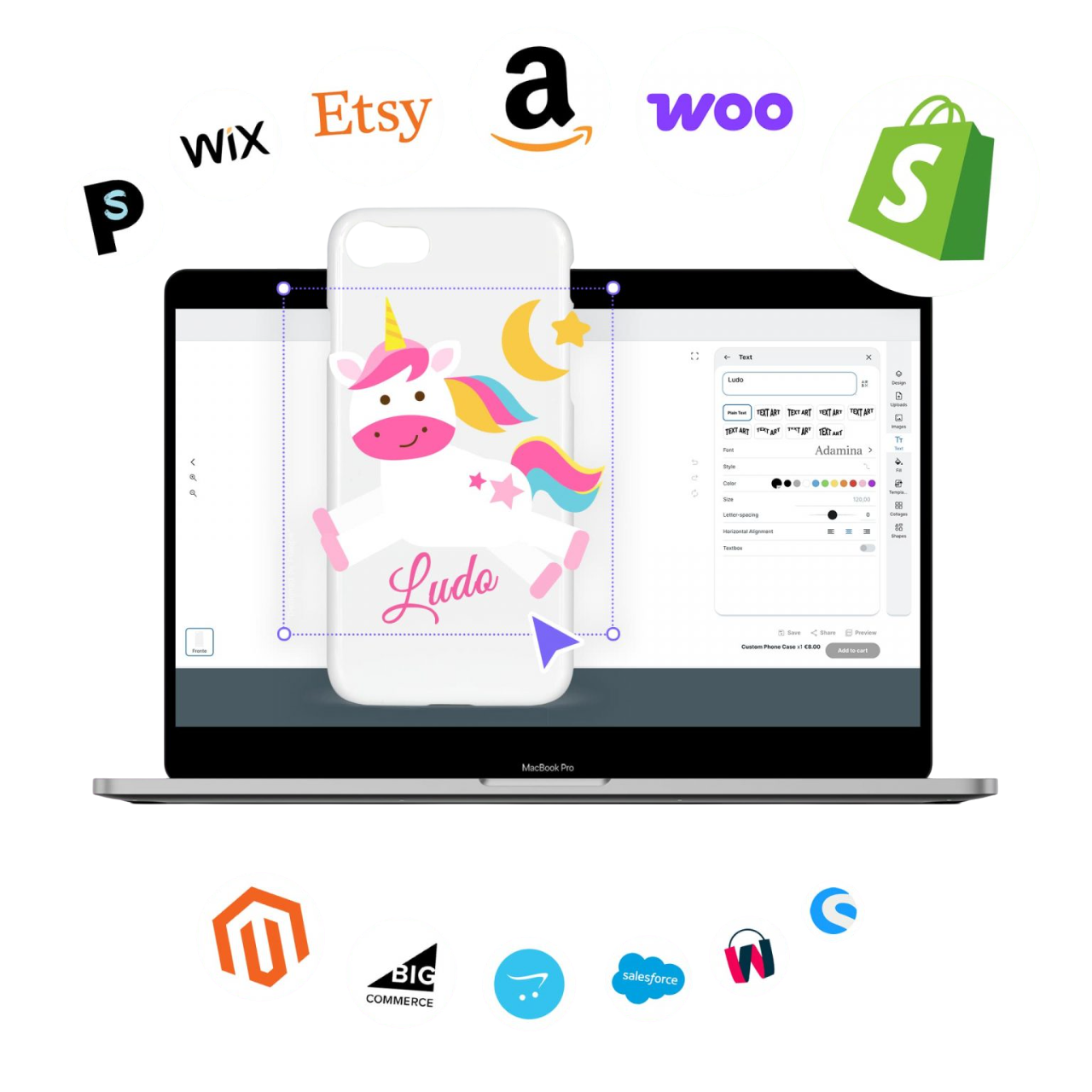
Turn your Shopify store into an extraordinary experience with real-time 2D, 3D, AR & Virtual Try-On customization. Install Zakeke on Shopify in less than 10 minutes!

1. Zakeke: Best Overall Product Configurator for Ecommerce
Best for: ecommerce brands and manufacturers that need visual customization, 3D configuration, AR and production workflows in one platform.
Zakeke is an all-in-one visual commerce platform combining a Visual Product Customizer, 3D Product Configurator, 3D & AR Viewer and Virtual Try-On.
Its main difference from 3D-only configurators is that it can cover both product configuration and product personalization.
Customers can select components, colors, materials and product options while also personalizing products with elements such as text and images. Changes can be visualized in real time, including directly on 3D products.
For businesses selling personalized products, Zakeke can also connect the customer-facing experience with downstream order and production workflows.
Zakeke key features
- 2D visual product customization;
- real-time 3D product configuration;
- text and image personalization;
- conditional configuration rules;
- dynamic pricing;
- Augmented Reality;
- Virtual Try-On;
- quote workflows;
- print-ready and production-ready files;
- APIs and webhooks;
- multi-channel product management;
- integrations with major ecommerce platforms.
Zakeke integrates with Shopify, WooCommerce, Adobe Commerce/Magento, PrestaShop, Wix, Shopware and other ecommerce environments, making it relevant for businesses that want to connect configuration to an existing commerce stack.
Where Zakeke is strongest
Zakeke is strongest when a business needs multiple visual commerce capabilities in the same workflow.
A company could, for example, use visual customization for printed products, 3D configuration for modular products, Augmented Reality for visualization and production-ready output to reduce manual order preparation.
This makes it particularly relevant when the objective is not simply to create an attractive product experience but to connect customization to actual ecommerce operations.
Zakeke limitations
Zakeke may be more platform than you need if your only requirement is to embed a basic 3D viewer without configuration or personalization. 3D experiences also require optimized 3D assets. Businesses without existing models therefore need to create or source them as part of implementation.
Finally, companies whose main requirement is highly specialized engineering or CAD configuration should compare Zakeke with dedicated engineering configurators.
Zakeke pricing
Zakeke offers both self-service plans and custom Enterprise solutions, depending on catalogue size, order volume, integrations and implementation requirements.
Self-service plans currently include:
- Starter: €59/month — up to 10 published products.
- Grow: €110/month — up to 50 published products, with additional features such as dynamic pricing rules, additional sales channels and removal of Zakeke branding.
- Scale: €255/month — up to 100 published products, with additional capabilities for more advanced configuration and higher-volume businesses.
These prices are billed annually. A 14-day free trial is available with no credit card required.
For larger companies, Zakeke Enterprise is available with custom pricing, designed for businesses requiring tailored commercial terms, larger or more complex catalogues, advanced integrations, dedicated support and implementation requirements beyond the standard self-service plans.
Choose Zakeke if: you need a platform that combines product customization, 3D configuration, AR and production workflows, with plans ranging from self-service to tailored Enterprise implementations.
2. Angle 3D: Best Shopify-Focused 3D Product Configurator
Best for: Shopify merchants primarily looking for interactive 3D product configuration.
Angle 3D is a Shopify-focused 3D and AR product configurator.
Customers can configure products directly in 3D, with support for options such as colors, textures, variants and, depending on the plan, text and image customization.
Its narrower focus makes it an interesting alternative for Shopify merchants that want 3D configuration without adopting a broader visual commerce platform.
Angle 3D key features
- real-time 3D product configuration;
- Augmented Reality;
- colors and textures;
- Shopify variant binding;
- conditional logic;
- dynamic pricing;
- text customization;
- image customization on higher plans;
- PDF export on Enterprise;
- product bundles on Enterprise.
Angle 3D limitations
Angle 3D is primarily designed around Shopify and 3D configuration.
Businesses needing the same configurator across several ecommerce platforms should therefore consider broader alternatives.
Its production capabilities should also be evaluated carefully if the final customer configuration needs to automatically become print-ready or manufacturing-ready output.
Angle 3D pricing
Angle 3D currently starts at $39/month.
Current plans include:
- Basic: $39/month — up to 10 products;
- Premium: $69/month — up to 40 products;
- Professional: $99/month — up to 100 products;
- Enterprise: $199/month — up to 500 products.
A 14-day free trial is available.
Advanced features such as custom text, images, conditional logic, PDF export, bundles and animations depend on the selected plan.
Choose Angle 3D if: your store runs on Shopify and your primary requirement is interactive 3D product configuration.
3. Expivi: Best for Complex CPQ and Manufacturing Workflows
Best for: manufacturers and enterprise retailers connecting complex product configuration with pricing, quoting and backend systems.
Expivi is a product configuration platform combining 3D visualization, configuration and Visual CPQ.
It is particularly relevant when product configuration is part of a larger operational process involving systems such as ERP, PIM, CRM or manufacturing software.
Expivi key features
- advanced 3D configuration;
- real-time visualization;
- product rules;
- dynamic pricing;
- Visual CPQ;
- quote workflows;
- ERP and PIM integrations;
- ecommerce integrations;
- APIs;
- production-oriented workflows.
Where Expivi is strongest
Expivi is particularly suited to products with complex relationships between components, configurations and prices.
Its architecture makes sense when a configured product has to continue from ecommerce or sales into a broader quote-to-production workflow.
Expivi limitations
The same depth that makes Expivi attractive for complex projects can make it excessive for small merchants looking for a simple plug-and-play product customizer.
Implementation can also require more planning than installing a standard ecommerce app.
Expivi pricing
Expivi uses custom pricing rather than publishing a universal starting subscription.
Cost depends on factors such as product complexity, configuration requirements, integrations and project scope.
Choose Expivi if: CPQ, backend integrations and manufacturing processes are as important as frontend visualization.
4. Vectary: Best for Interactive 3D Experiences
Best for: brands and creative teams that primarily want to create and publish interactive 3D product experiences.
Vectary is different from most of the platforms in this comparison.
Its core strength is browser-based 3D content creation and interactive visualization, rather than complete ecommerce product configuration.
Teams can import or create 3D assets, build interactive experiences and embed them on websites.
Vectary key features
- browser-based 3D editor;
- interactive 3D experiences;
- 3D model import;
- animations;
- Augmented Reality;
- WebXR;
- web publishing;
- viewer controls;
- collaboration features;
- Viewer API on selected plans.
Vectary limitations
Vectary is not a direct replacement for a complete ecommerce product configurator.
If you need sophisticated configuration rules, CPQ, ecommerce-native pricing or automated production files, you may need additional technology around the visualization layer.
Vectary pricing
Vectary provides a free plan.
Its Pro plan starts at approximately $15/month when billed annually, while month-to-month pricing is higher. Business requirements and advanced capabilities can require a higher or custom plan.
Choose Vectary if: interactive 3D creation and publishing are more important than managing the entire product configuration-to-order workflow.
5. Threekit: Best for Advanced Visual Product Experiences
Best for: brands and manufacturers that prioritize high-end 3D visualization, photorealistic rendering and complex visual product experiences.
Threekit is a visual commerce platform combining 3D product configuration, photorealistic visualization and Augmented Reality.
Its main strength is the visual layer: businesses can create interactive product experiences across large or complex catalogues and show customers different configurations without producing photography for every possible combination.
Threekit key features
- visual product configuration;
- real-time 3D visualization;
- Augmented Reality;
- photorealistic 2D visualization;
- product configuration rules;
- digital asset management;
- ecommerce and business system integrations;
- headless implementation options.
Where Threekit is strongest
Threekit is particularly relevant when visual quality and scalable asset generation are central to the project.
Its combination of 3D configuration and photorealistic visualization makes it a strong option for businesses with products that have many visual variations and would otherwise require extensive product photography.
Threekit limitations
Threekit focuses strongly on visual configuration and asset generation. Businesses that also need extensive visual personalization — such as customer-added text, logos or artwork — or production-oriented personalization workflows should compare those requirements carefully across platforms.
Implementation requirements can also vary considerably depending on catalogue complexity, integrations and the type of visual experience being created.
Threekit pricing
Threekit uses custom pricing based on the requirements and scope of the project rather than publishing a standard starting subscription.
Choose Threekit if: high-end 3D visualization, photorealistic product imagery and scalable visual experiences are central to your product configuration strategy.
6. LEVAR: Best for 3D and AR Product Visualization
Best for: ecommerce brands primarily interested in deploying 3D and Augmented Reality product experiences.
LEVAR focuses strongly on 3D product visualization and Augmented Reality.
It allows shoppers to interact with products digitally and visualize products in their environment before purchasing.
LEVAR key features
- interactive 3D visualization;
- Augmented Reality;
- 360-degree product viewing;
- Virtual Try-On capabilities;
- 3D asset services;
- ecommerce deployment;
- multi-channel distribution of 3D content.
LEVAR limitations
LEVAR is strongest as a 3D and AR visualization platform.
Businesses needing deep product personalization, sophisticated CPQ or automated print-production workflows should check whether additional software will be required.
For this reason, it should not automatically be considered equivalent to a full rule-based product configurator.
LEVAR pricing
LEVAR offers a free entry option, while paid plans currently start at approximately $59/month.
Higher plans increase the number of 3D assets and available capabilities.
Choose LEVAR if: your priority is bringing interactive 3D and AR visualization into the shopping experience.
7. InkyBay: Best for Print and 2D Product Personalization
Best for: Shopify businesses selling printed, decorated or personalized products.
InkyBay approaches product configuration from a different direction than 3D-first platforms.
Its strength is 2D visual product personalization and print-oriented workflows.
Customers can personalize products with text, images and artwork while seeing a live preview, making the platform particularly relevant for apparel, promotional products, signs and other decorated goods.
InkyBay key features
- live product personalization;
- text customization;
- image and artwork upload;
- advanced product options;
- dynamic pricing;
- quantity discounts;
- inventory controls;
- print-ready output;
- support for common print and decoration workflows.
InkyBay limitations
InkyBay is not a 3D-first product configurator.
Businesses selling modular products where customers need realistic component-level 3D configuration or AR should consider a 3D-focused alternative.
It is also strongly Shopify-oriented, making it less appropriate for businesses requiring one configuration platform across multiple ecommerce environments.
InkyBay pricing
InkyBay currently starts at $19.99/month.
Current plans include higher tiers for businesses requiring more products, orders, storage and advanced capabilities.
A 21-day free trial is available.
Choose InkyBay if: you operate a Shopify print or personalization business and production-oriented 2D customization matters more than 3D configuration.
Shopify ratings
- Zakeke: ? 4.7/5 — 100 reviews
- Angle 3D: ? 5.0/5 — 93 reviews
- Expivi: Not rated on Shopify App Store
- Vectary: Not rated on Shopify App Store
- Threekit: Not rated on Shopify App Store
- LEVAR: ? 3.4/5 — 20 reviews
- InkyBay: ? 4.5/5 — 160 reviews
Shopify App Store ratings checked in September 2026. Ratings and review counts may change over time.
Which Product Configurator Is Best for Your Business?
There is no single best product configurator for every business.
The best choice depends on what customers configure, how they need to visualize it, how complex the product rules are and what your business needs to receive after the configuration is complete.
| If your priority is… | Consider |
|---|---|
| Customization + 3D configuration + AR + production | Zakeke |
| Shopify-first 3D configuration | Angle 3D |
| Complex configuration + CPQ + ERP | Expivi |
| Interactive 3D content creation | Vectary |
| Enterprise visual commerce | Threekit |
| 3D and AR visualization | LEVAR |
| Print-focused 2D personalization | InkyBay |
For simple products, choosing the most powerful platform can introduce unnecessary complexity.
For complex products, however, choosing software based only on how impressive its 3D viewer looks can create problems later.
The complete workflow should be considered:
Customer selection ? configuration rules ? visualization ? pricing ? checkout or quote ? order data ? production.
A tool that solves only the visualization step may require additional integrations or manual work elsewhere.
What Features Should You Look for in Product Configurator Software?
When comparing product configurator software, evaluate the complete product and order workflow rather than looking only at frontend visualization.
1. Product configuration rules
Can the software prevent invalid combinations?
For example, selecting component A might need to remove component B, require component C and change which materials are available.
This becomes increasingly important as the number of possible configurations grows.
2. Visual customization
Configuration and customization are different.
If customers also need to add text, logos, artwork or uploaded files, make sure the software supports personalization rather than configuration alone.
3. 3D visualization
Not every product requires 3D.
For printed T-shirts, business cards or labels, a strong 2D customizer may be more practical.
For furniture, bicycles, jewelry, equipment or modular products, real-time 3D can make complex configurations significantly easier to understand.
4. 3D asset requirements
Most real-time 3D configurators require optimized 3D models.
Before selecting a platform, determine:
- whether you already have usable 3D models;
- which formats are supported;
- whether optimization is required;
- whether the vendor offers 3D modeling services;
- how much maintaining the 3D catalogue will cost.
The software subscription is only one part of the total cost of a 3D configuration project.
5. Dynamic pricing
If different configurations have different prices, the configurator needs to calculate those changes correctly.
Simple option surcharges may be enough for some stores.
Complex B2B products may require pricing formulas, dependencies or a full Configure, Price, Quote (CPQ) workflow.
6. Ecommerce integration
Check whether the configurator integrates directly with your ecommerce platform.
Native integrations can reduce implementation work, while API-based platforms may offer more flexibility for complex enterprise architectures.
7. Production-ready output
This is one of the most important differences between product configurators.
A beautiful customer preview does not necessarily mean that the resulting order is ready for production.
If you sell personalized products, determine whether the platform can generate the files or structured data your production team actually needs.
Otherwise, employees may still need to manually recreate customer designs after every order.
8. Backend integrations
For larger businesses, product configuration may need to communicate with:
- ERP;
- PIM;
- CRM;
- DAM;
- ecommerce platforms;
- manufacturing systems;
- print workflows;
- order management systems.
In enterprise projects, these integrations can be more important than individual frontend features.
How Much Does Product Configurator Software Cost?
Product configurator software can cost from around $20 per month for simple ecommerce personalization apps to custom enterprise contracts for complex 3D configuration and CPQ implementations.
For example, the tools in this comparison currently range from $19.99/month for InkyBay and $39/month for Angle 3D to $69.90/month for Zakeke’s Shopify Starter plan, while platforms such as Expivi and Threekit use custom pricing for more complex implementations.
However, subscription price alone does not represent the real cost of a product configurator.
The total cost can include:
- software subscription;
- transaction or usage fees;
- implementation;
- 3D model creation;
- 3D asset optimization;
- integrations;
- custom development;
- onboarding;
- ongoing catalogue management.
A lower-cost configurator that leaves your team manually preparing every customer order may ultimately cost more than software that automates that workflow.
The most useful comparison is therefore total cost of ownership, not monthly subscription price alone.
Do You Actually Need a Product Configurator?
Not every ecommerce business needs product configuration software.
You probably do not need a product configurator if:
- customers only select standard ecommerce variants;
- there are very few possible combinations;
- customers do not need a visual preview;
- product options do not depend on one another;
- configuration does not affect pricing or production.
Standard ecommerce product options may be sufficient.
A configurator becomes more valuable when customers need to understand what their specific combination will look like, when the number of possible variants becomes impractical to photograph, or when configuration rules, pricing and production data need to be automated.
Product Configurator Pricing Comparison
For quick reference, here are the starting prices of the seven platforms compared in this guide as of September 2026.
| Product configurator | Starting price | Pricing model |
|---|---|---|
| InkyBay | $19.99/mo | Subscription |
| Angle 3D | $39/mo | Subscription |
| LEVAR | Free; paid from $59/mo | Freemium/subscription |
| Zakeke | $69.90/mo | Subscription + transaction fee on standard Shopify plans |
| Vectary | Free; Pro from $15/mo annually | Freemium/subscription |
| Expivi | Custom | Quote-based |
| Threekit | Custom | Quote-based |
Prices should not be compared without considering what each product actually does. Vectary, for example, is primarily a 3D experience platform, while Zakeke combines several customization and configuration capabilities and Expivi and Threekit target more complex implementations.
Final Verdict: What Is the Best Product Configurator in 2026?
Zakeke is our pick for the best all-in-one ecommerce product configurator in 2026 when a business needs a combination of visual customization, 3D product configuration, Augmented Reality and production-oriented workflows.
But it is not the best choice for every use case.
Choose Angle 3D if you primarily want a Shopify-based 3D configurator.
Choose Expivi if complex configuration, CPQ and manufacturing integrations are central to the project.
Choose Threekit for sophisticated enterprise visual commerce implementations.
Choose Vectary when creating and publishing interactive 3D experiences is more important than end-to-end product configuration.
Choose LEVAR if 3D and AR visualization are your main priorities.
Choose InkyBay if you run a Shopify print or personalization business where 2D customization and production output matter more than 3D.
Ultimately, the most useful question is not:
“Which product configurator has the most features?”
It is:
“Which product configurator can take our customer from a valid configuration to an order our business can actually sell and produce?”
Frequently Asked Questions About Product Configurator Software
– What is the best product configurator software in 2026?
Zakeke is a strong all-in-one product configurator for ecommerce businesses that need visual customization, 3D configuration, AR and production workflows. Angle 3D is a good Shopify-focused 3D option, while Expivi and Threekit are better suited to complex enterprise configuration projects.
The best choice ultimately depends on your catalogue, ecommerce platform, configuration complexity and production requirements.
– What is the best product configurator for Shopify?
Zakeke, Angle 3D and InkyBay are three different options for Shopify product configuration. Zakeke combines customization and 3D configuration, Angle 3D specializes in 3D configuration, while InkyBay focuses primarily on 2D product personalization and print workflows.
– How much does product configurator software cost?
Product configurator software can start at around $20 per month, while enterprise platforms typically use custom pricing. Costs increase depending on catalogue size, 3D assets, integrations, configuration complexity, usage and implementation requirements.
– What is the difference between a product configurator and a product customizer?
A product configurator lets customers select compatible components, materials and options, while a product customizer lets customers personalize products with elements such as text, images and artwork.
Some visual commerce platforms support both processes in the same experience.
– What is a 3D product configurator?
A 3D product configurator lets customers change product options while seeing the resulting configuration on an interactive 3D model in real time.
Depending on the software, customers may be able to change components, materials, colors, dimensions and personalized elements.
– What is the difference between a 3D configurator and a 3D viewer?
A 3D viewer displays an existing product in three dimensions, while a 3D configurator lets the customer change the product.
If shoppers only need to rotate and inspect an item, a viewer may be sufficient. If selections affect components, appearance, price or product validity, a configurator is required.
– Can a product configurator generate production-ready files?
Some product configurators can generate print-ready or production-ready files, but this capability is not universal.
Businesses selling personalized products should verify what files and configuration data are produced after checkout rather than assuming that a visual preview is automatically production-ready.
– Do I need 3D models to use a 3D product configurator?
Yes, in most cases a real-time 3D configurator requires optimized 3D models of the product and its configurable components.
Some software providers and implementation partners offer 3D modeling services if you do not already have suitable assets.
– Can product configurators integrate with ERP or PIM systems?
Yes. Advanced product configurators can connect with ERP, PIM, CRM, ecommerce and manufacturing systems through native integrations, APIs or custom workflows.
The exact integration capabilities vary significantly between platforms and should be evaluated before implementation.
– Is a product configurator worth it for ecommerce?
A product configurator is most valuable when products have many possible combinations, require visual explanation or involve complex personalization, pricing or production rules.
For products with only a few standard variants, a conventional ecommerce product page may be sufficient.
Turn your Shopify store into an extraordinary experience with real-time 2D, 3D, AR & Virtual Try-On customization. Install Zakeke on Shopify in less than 10 minutes!